
Object Name & Aliases
The primary name of the item alongside any alternative names, technical names, or in-world slang. Auctor uses both when scanning your chapters, so references to "the Obsidian Blade" and "the cursed dagger" will both be caught.
Objects
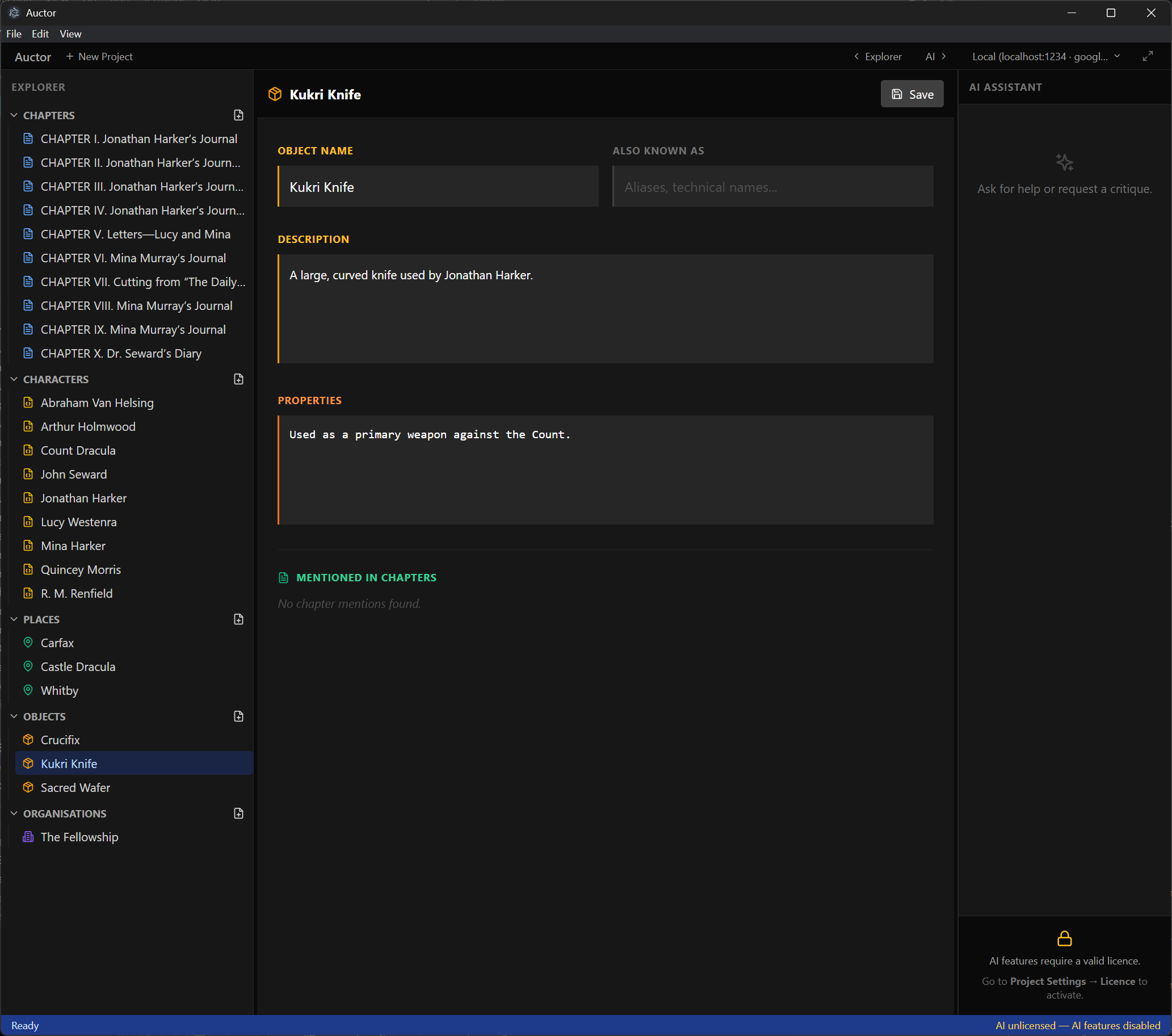
Significant objects — weapons, artefacts, vehicles, heirlooms, macguffins — deserve the same careful tracking as characters and places. An Object Card gives any item in your story its own dedicated profile, making it easy to keep descriptions consistent and ensuring the AI assistant understands what it is before it offers feedback.
The profile
The primary name of the item alongside any alternative names, technical names, or in-world slang. Auctor uses both when scanning your chapters, so references to "the Obsidian Blade" and "the cursed dagger" will both be caught.
A plain-language description of the object — what it looks like, where it came from, who owns it, what it means to your story. Write as much or as little as the item warrants; a family heirloom with a rich history deserves more than a borrowed horse.
A free-form field for anything mechanical or special about the object — magical effects, combat statistics, unusual capabilities, limitations, or lore. Keeping this separate from the description makes it easy to scan at a glance when you need to reference it mid-chapter.

Auctor automatically scans your chapters and lists every one that mentions the object by name or alias. Click any chapter in the list to jump straight to it — useful for checking that you've described the item consistently across scenes.
Getting started
Create a new object from the Explorer panel (under Objects).
Give it a name and any aliases it goes by in your story.
Write a description — focus on how it appears and its role in the narrative.
Use the Properties field for anything rules-like or mechanical: powers, curses, known history, or key limitations.
Hit Save. The object is now part of your project's context and the AI assistant will reference it when critiquing or answering questions about your story.