
Auctor logo Auctor

Places

Place Cards

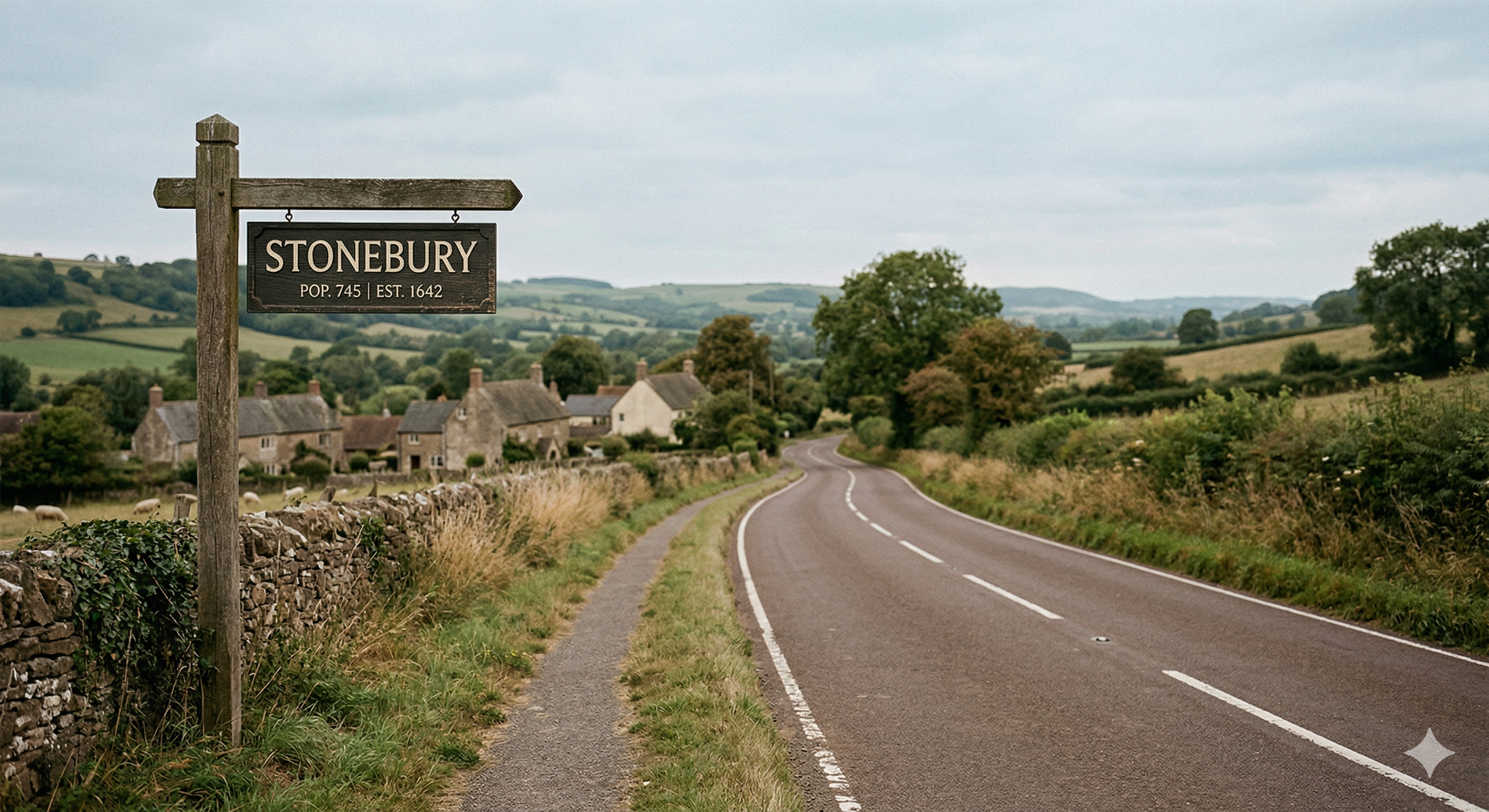
Every location that matters in your story deserves a Place Card. Whether it's a sprawling city, a single room, or a stretch of road your characters keep returning to, capturing its character in one place means you never have to hunt back through earlier chapters to remember what colour the curtains were.

A Place Card open in Auctor showing the location name, aliases, description, and mentioned-in-chapters fields
A Place Card — name, aliases, description, and chapter mentions in one view.

The profile

What's on a Place Card

Name & Aliases

The primary name of the location alongside any alternative names, local nicknames, or historical names. A city might be known to its inhabitants by a shortened form, or a building might have an official name and the name everyone actually calls it. Auctor uses both when scanning your chapters so no mention gets missed.

Description

A single rich description field with plenty of room to capture everything important about the place: the sensory details that make it feel real, its atmosphere, its history, and its significance to the story. Write it the way you'd want to read it in a research note before sitting down to draft a scene set there.

Mentioned in Chapters

Auctor scans your chapters in the background and lists every one that references this location by name or alias. Click any chapter in the list to jump directly to it — useful for checking that you've described the place consistently, or for tracking how often a location appears in the narrative.

Getting started

How to use it

  1. 1

    Create a new place from the Explorer panel (under Places).

  2. 2

    Give it a name and any aliases used in your story.

  3. 3

    Write the description — aim for the details you'd need to conjure the place vividly in a scene: light, sound, smell, scale, mood, and any history the reader will eventually learn.

  4. 4

    Hit Save. The place is now part of your project's context.

All features