
AI
AI Assistant
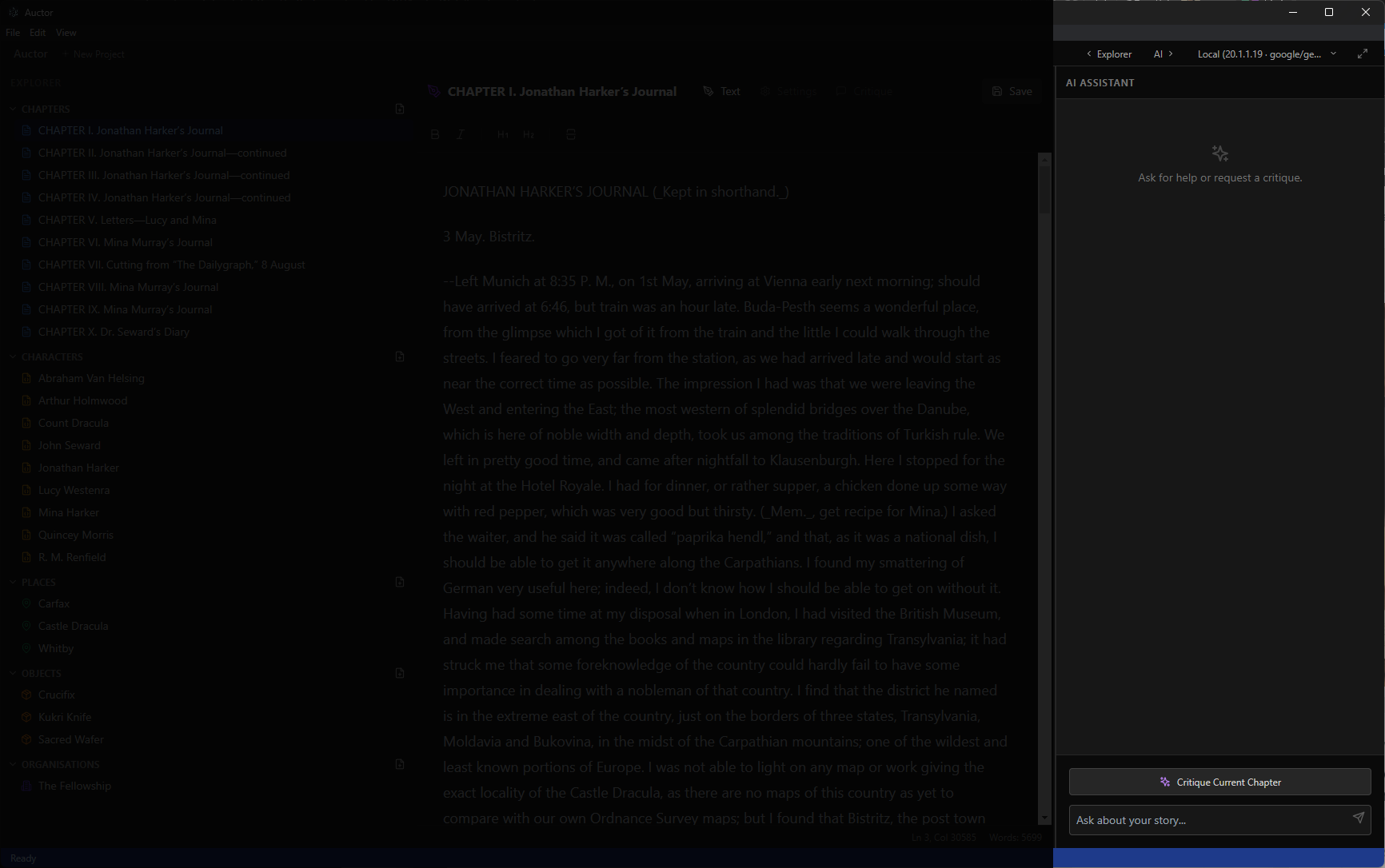
Auctor's AI panel is your writing companion, available in the right-hand sidebar while editing any chapter.
Chat
Chat with your story
Type any question into the chat input and press Enter or click the send button. The AI has full context of your current chapter and can look up characters, places, objects, and organisations from your project automatically as needed.
You can ask things like:
- "Is the pacing in this chapter consistent?"
- "What's a better word for 'said' in this scene?"
- "Does this dialogue feel natural?"
Story Bible
Creating story elements with AI
You can ask the AI to create new entries in your story bible directly from the chat. For example:
- "Create a character called Elena Marsh — she's a sarcastic detective in her 40s with a complicated past."
- "Add a place called The Hollow — a ruined village hidden in the forest."
- "Create an organisation called The Accord with the goal of maintaining the peace treaty."
- "Add an object called the Ember Stone — a red gemstone with the ability to absorb heat."
The AI will generate the entry and it will appear immediately in your project's sidebar, ready to edit and expand.
Analysis
Chapter Critique
Click Critique Current Chapter to get a detailed analysis of your writing. The AI considers your novel's plot, the chapter's summary and style notes, and any active subplots.
It will assess pacing, tone, character voice, and story consistency — and rate each paragraph on a scale of 1–10, with lower-quality paragraphs highlighted directly in the editor.
Editing
Inline Refinement
Select any passage of text in the editor to open the Refine dialog. From here you can:
- Make Shorter — condense the selection without changing its meaning or voice
- Make Longer — expand the selection with additional detail
- Rewrite — improve flow, tone, and clarity while preserving your style
You can also type optional feedback in the critique box before rewriting to guide the AI towards a specific goal. Once the AI generates a suggestion, preview it in the dialog and either Accept to replace your text or Reject to discard it.
Models
Choosing an AI provider
In the Refine dialog, use the provider dropdown to switch between your configured AI models — OpenAI, Claude, Gemini, Grok, or a local model — on a per-operation basis. This lets you choose the model that best suits the task at hand without changing your global settings.