Text
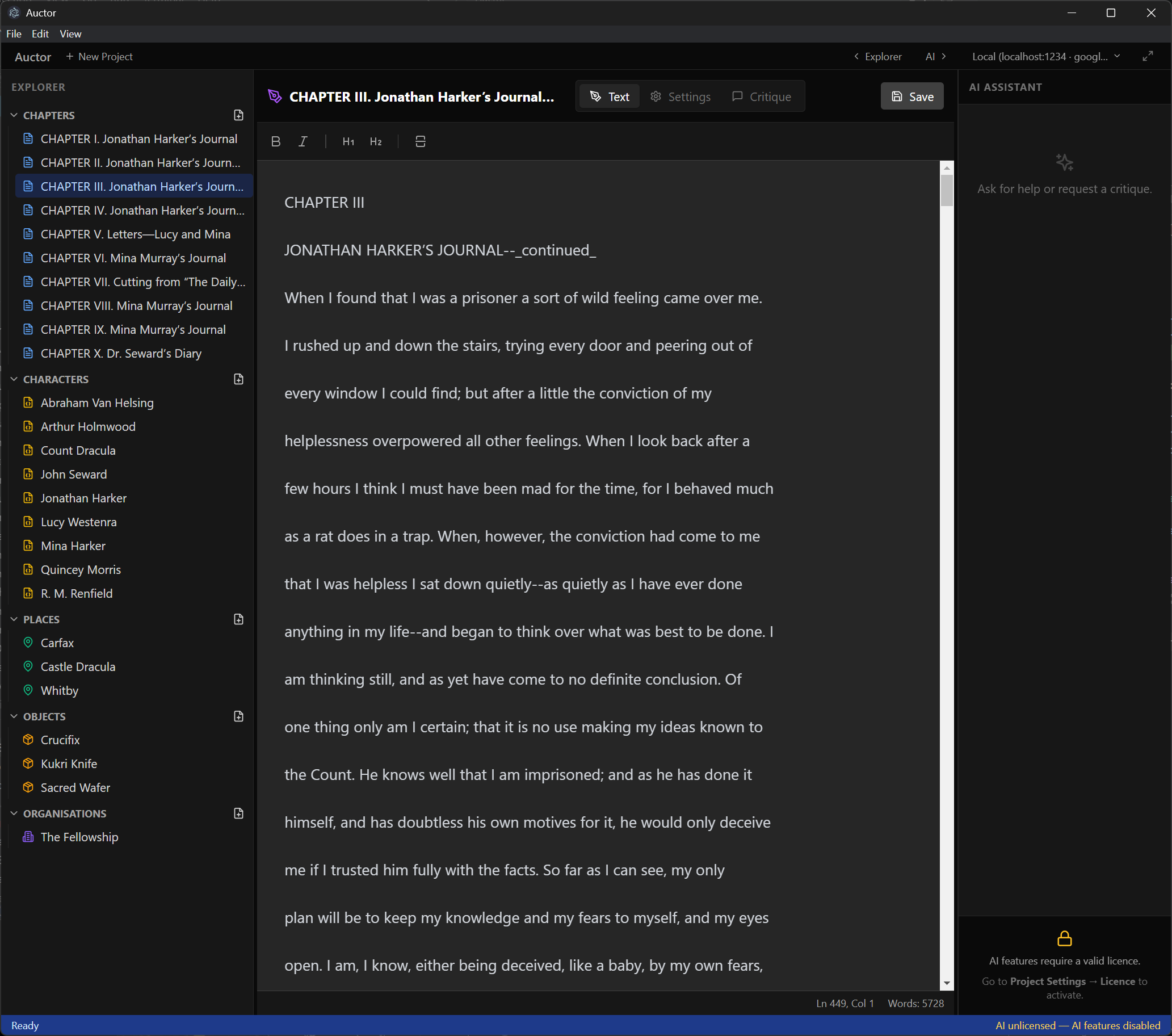
The main writing surface. A clean rich-text editor supports bold, italic, and two levels of heading. A status bar at the bottom shows your current line, column, and running word count.
The toolbar also includes:
- Find & Replace — search the chapter text or replace across it, accessible from the Edit menu or by keyboard shortcut
- Paragraph ratings — after running an AI critique, a palette button appears in the toolbar. Toggle it to colour-code your paragraphs from red (needs work) to green (strong) based on the ratings the AI assigned. It's the fastest way to spot the weak sections of a chapter at a glance
- Split view — a split-pane button lets you read your AI critique alongside your text without switching tabs, so you can revise and reference feedback at the same time