

Name & Aliases
Start with the character's full name and any nicknames, titles, or aliases they go by. Auctor uses both the name and aliases when scanning your chapters, so it won't miss a mention of "Lord Ashford" just because you wrote "Edward".
Characters
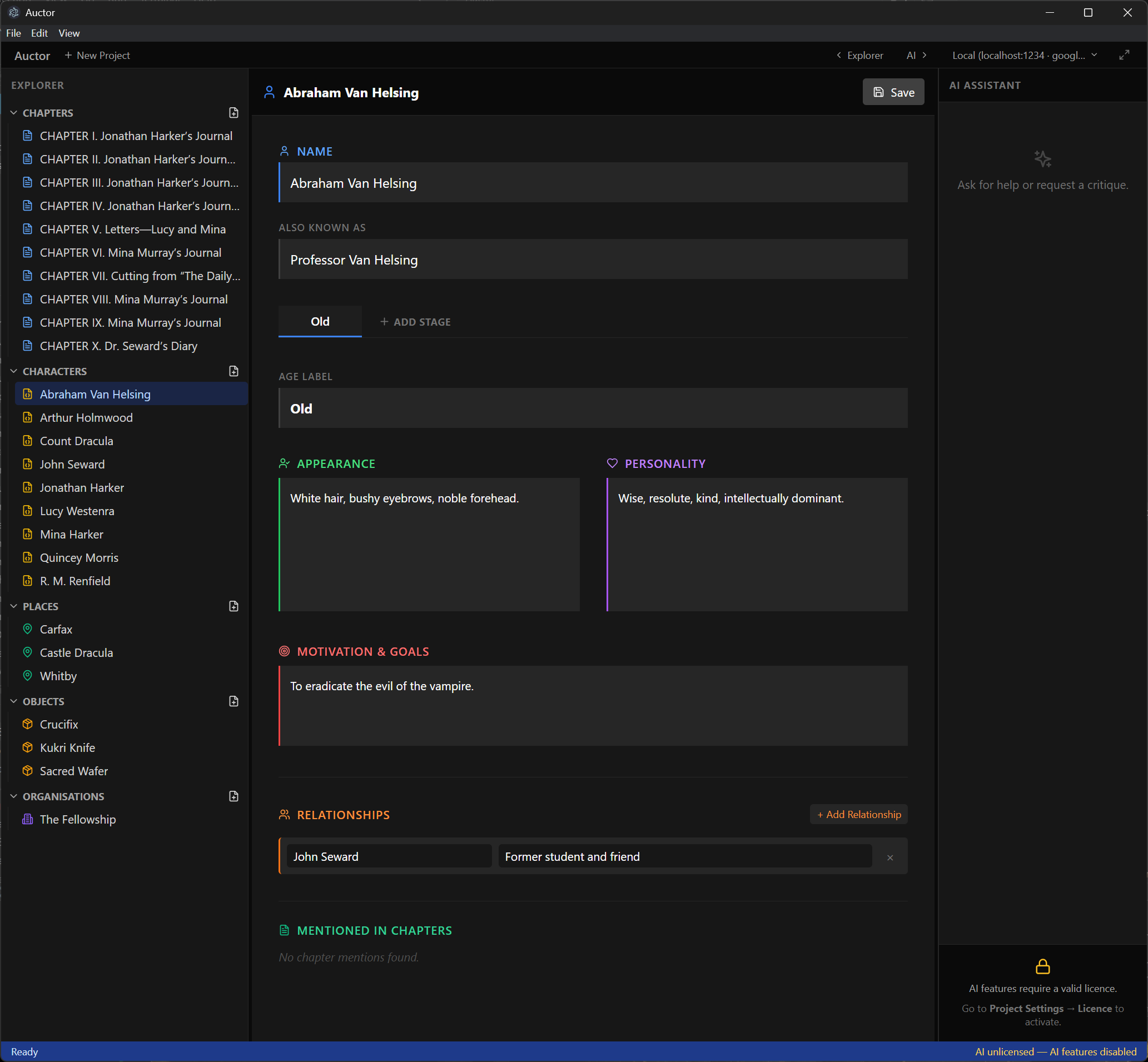
Every character in your novel gets their own dedicated Character Card — a structured profile that keeps all the essential details about a person in one place, always within reach as you write.
The profile
Start with the character's full name and any nicknames, titles, or aliases they go by. Auctor uses both the name and aliases when scanning your chapters, so it won't miss a mention of "Lord Ashford" just because you wrote "Edward".

Characters change over time. Life Stages let you capture those differences in separate tabbed snapshots rather than cramming everything into a single description. Add as many stages as you need and label them anything you like: an age, an era, or a turning point.

Map out how this character connects to others. Each entry takes a character name and a description of the relationship — rival, estranged sister, the only person they trust. Auctor automatically creates a matching entry on the other character's card when you save, so your relationship web stays consistent without manual double-entry. If you reference a character who doesn't have a card yet, a + Create button appears inline so you can set one up without leaving the card.

At the bottom of every card, Auctor scans your chapters in the background and lists every chapter that mentions this character by name or alias. Click any chapter in the list to jump straight to it and see the character in context.
Getting started
Create a new character from the Explorer panel (under Characters).
Give them a name and any known aliases.
Fill in the default Life Stage, or rename it to match where they are in your story.
Add extra Life Stages if the character appears at significantly different points in their life.
Add relationships as you develop the cast — Auctor keeps both sides of each relationship in sync.
Hit Save whenever you want to commit your changes.